Best Guide to Equipment Tracking Software: Top 6 Ways Superintendents Manage Heavy Equipment, Tools, and Assets in Real Time
Table of Contents:
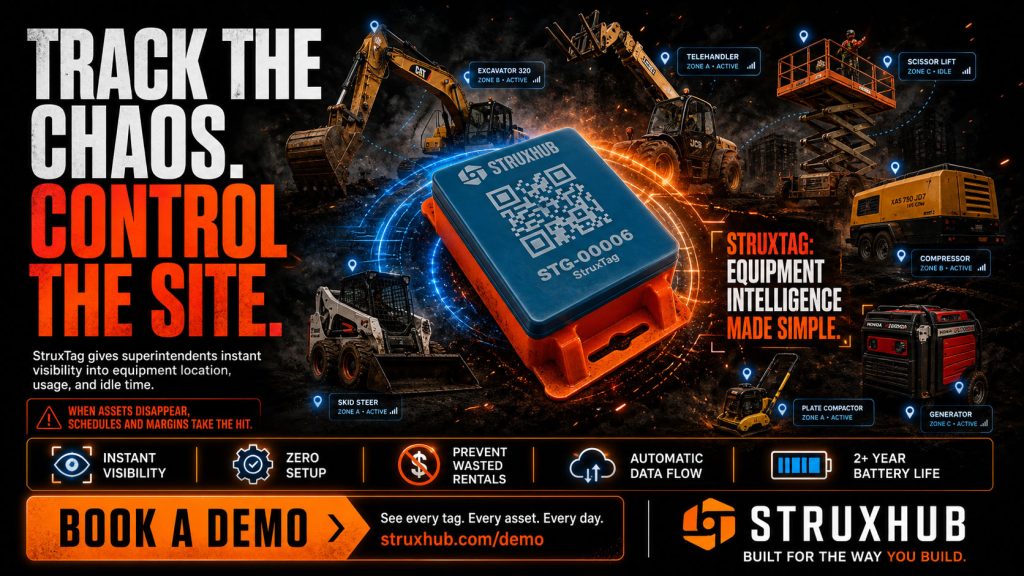
Managing equipment has become one of the most complex responsibilities on a modern construction site. Superintendents are no longer overseeing just a few machines and hand tools. They are responsible for dozens or even hundreds of assets moving across crews, zones, and sometimes multiple jobsites. Heavy equipment, power tools, temporary assets, and specialty machines all need to be available at the right time and in the right place to keep work moving forward.
Traditional tracking methods like spreadsheets, whiteboards, and paper sign-out sheets were never designed for this level of movement.
They depend on delayed updates and manual discipline, which leads to missing equipment, idle machinery, and unnecessary rentals. Equipment tracking software changes this by giving superintendents real-time visibility and control over every asset they manage.
In this guide, we break down the top six ways superintendents are using equipment tracking software to manage heavy equipment, tools, and assets in real time. These approaches help reduce loss, improve productivity, strengthen safety compliance, and keep jobsites running efficiently.
Way 1: Real-Time Location Tracking for Heavy Equipment and Tools
The foundation of any construction equipment tracking system is knowing where assets are at all times. Real-time location tracking gives superintendents immediate visibility into where heavy equipment, tools, and shared assets are located across the jobsite. Instead of relying on verbal updates or end-of-day logs, location data updates automatically as equipment moves.
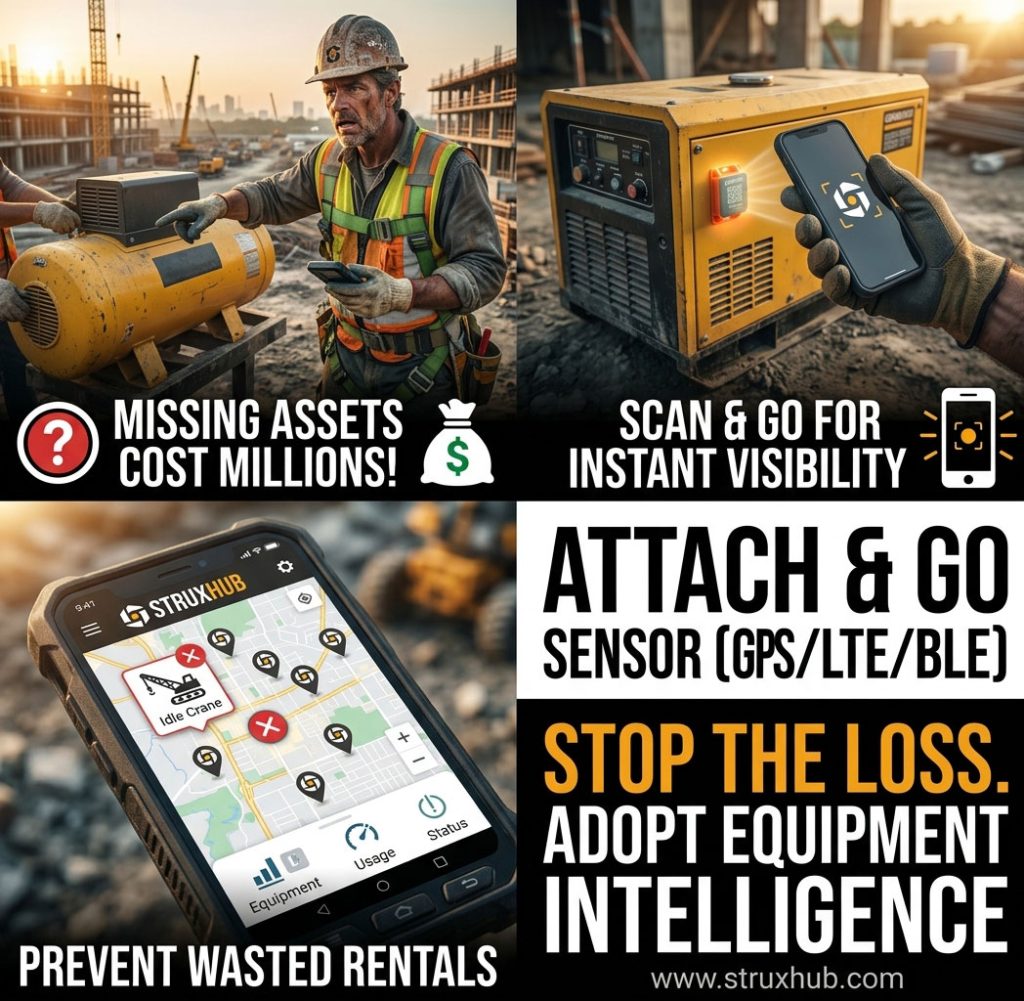
Using GPS for large machinery and Bluetooth or QR tags for smaller tools, tracking software creates a live map of asset locations. Superintendents can quickly see which equipment is active, which is idle, and which may have been moved without authorization. This visibility allows faster decision-making and prevents delays caused by missing or misplaced equipment.
Location tracking is especially valuable on large or multi-phase projects where equipment frequently shifts between work zones. With accurate location data, superintendents can assign resources confidently and keep crews productive without interruption.
Top Benefits
- Eliminates time spent searching for equipment
- Improves coordination across crews and jobsite zones
- Prevents delays caused by misplaced or unaccounted assets
Best Practices
- Tag all heavy equipment with GPS-enabled trackers
- Use Bluetooth or QR tags for high-traffic tools
- Review location dashboards at the start of each shift
Q&A Mini Section
Q: How accurate is real-time location tracking on busy jobsites?
A: Modern systems provide precise indoor and outdoor tracking using multiple signal types.
Q: Can location tracking work across multiple job sites?
A: Yes. Cloud-based platforms show asset locations across all connected projects.
Q: Does tracking require crews to manually update locations?
A: No. Locations update automatically as assets move or are scanned.
Real-time location tracking gives superintendents instant awareness and control over every piece of equipment on site.
Way 2: Digital Check-In and Check-Out for Shared Assets
Shared equipment is one of the biggest sources of confusion on construction sites. When tools and machines move between crews without documentation, accountability breaks down. Digital check-in and check-out systems solve this by recording every handoff automatically.
With construction equipment tracking management software, crews scan tools or machines when they take them and when they return them. Each action is logged with a timestamp and user information. Superintendents can instantly see who last used an asset, where it should be returned, and whether it is overdue.
This system dramatically reduces missing tools and disputes between crews. It also helps superintendents plan work more effectively by knowing which assets are available and which are in use at any given moment.
Top Benefits
- Creates clear accountability for shared equipment
- Reduces lost tools and equipment disputes
- Improves planning for equipment availability
Best Practices
- Require digital check-in and check-out for all shared assets
- Assign responsibility by crew or role rather than informal handoffs
- Review overdue asset reports at the end of each shift
Q&A Mini Section
Q: Does digital check-in slow crews down?
A: No. Scanning takes seconds and prevents much larger delays later.
Q: Can multiple crews access the same system?
A: Yes. Access can be role-based so each crew logs only what they use.
Q: What happens if equipment is not checked back in?
A: The system flags it as overdue and alerts the superintendent automatically.
Digital check-in and check-out replaces guesswork with accountability and keeps shared equipment under control.
Related Articles:
Way 3: Usage Data and Analytics to Optimize Equipment Utilization
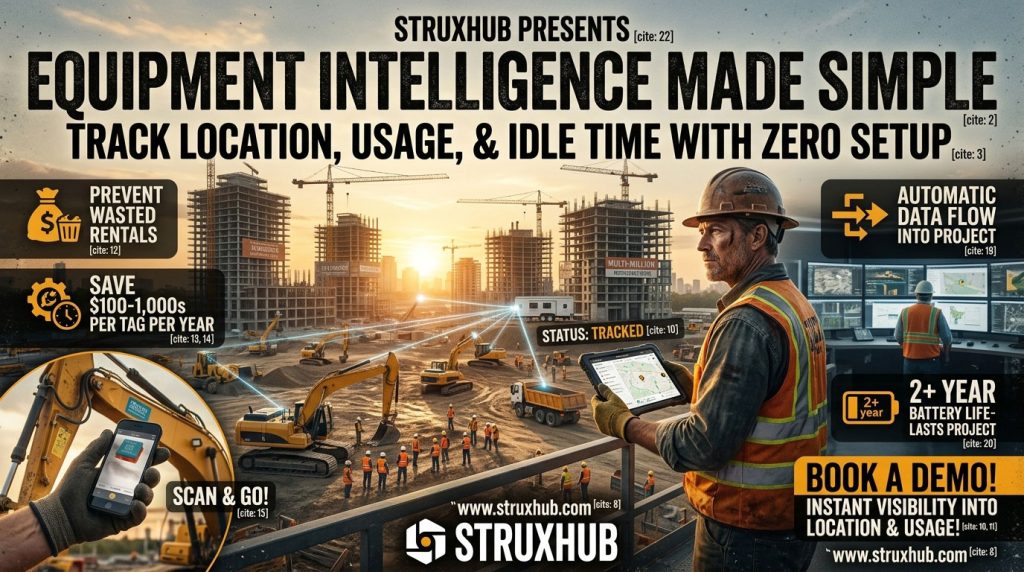
Tracking where equipment is only part of the picture. Superintendents also need to understand how assets are being used. Equipment tracking software collects usage data automatically, showing run time, idle time, frequency of use, and patterns across crews and job phases.
This data helps identify inefficiencies that are invisible in spreadsheets. For example, a machine may appear to be in use but actually sit idle for long periods. Another asset might be consistently overbooked, causing delays for certain crews. With analytics dashboards, superintendents can see these patterns clearly and adjust assignments before productivity suffers.
Usage data also supports better financial decisions. Superintendents and project leaders can determine whether to rent, buy, or reassign equipment based on actual utilization instead of assumptions. Over time, this leads to lower costs and smoother project execution.
Top Benefits
- Identifies underused and overused equipment
- Improves resource allocation across crews
- Reduces unnecessary rentals and purchases
Best Practices
- Review usage reports weekly to spot inefficiencies
- Reassign idle equipment to high-demand work areas
- Use historical data to plan future project needs
Q&A Mini Section
Q: Can usage analytics help with scheduling?
A: Yes. They show when equipment demand peaks and where conflicts may occur.
Q: Are analytics useful for small projects?
A: Absolutely. Even small teams benefit from visibility into asset usage.
Q: Do superintendents need training to use analytics dashboards?
A: No. Most dashboards are designed to be simple and visual.
Usage analytics turn equipment tracking into a powerful planning and cost-control tool.

Way 4: Theft Prevention and Asset Security Through Live Monitoring
Equipment theft and unauthorized use are constant risks on construction sites, especially when assets are stored outdoors or shared between crews. Traditional methods like paper logs or locked cages offer limited protection and usually only reveal a problem after equipment is already gone. Equipment tracking software adds a much stronger layer of security by monitoring assets continuously and alerting superintendents the moment something looks wrong.
Live monitoring uses GPS tracking, Bluetooth signals, and geofencing rules to define where equipment should and should not be. If a machine leaves a designated area, is moved after hours, or appears in an unexpected location, the system sends an immediate alert. Superintendents can respond quickly, verify whether the movement was authorized, and take action before the loss becomes permanent.
This level of visibility also discourages misuse. When crews know equipment is tracked in real time, unauthorized borrowing and careless handling drop significantly. Over time, this creates a culture of accountability that protects assets and keeps projects running without interruption.
Top Benefits
- Detects unauthorized movement as it happens
- Improves recovery chances for misplaced or stolen equipment
- Reduces internal misuse through visible accountability
Best Practices
- Set geofenced zones around storage areas and jobsite boundaries
- Enable after-hours alerts for high-value assets
- Review movement history weekly to spot recurring risks
Q&A Mini Section
Q: Does live monitoring work indoors as well as outdoors?
A: Yes. Modern systems combine GPS with Bluetooth and local beacons for indoor accuracy.
Q: Can alerts be customized by equipment type?
A: Absolutely. High-value or high-risk assets can have stricter alert rules.
Q: Does monitoring slow down field operations?
A: No. Tracking runs automatically in the background without disrupting work.
Live monitoring shifts security from reactive loss reporting to proactive prevention.
StruxHub
Experience the power of StruxHub today and witness firsthand how it can revolutionize your construction operations.
Way 5: Safety and Maintenance Tracking to Keep Equipment Jobsite Ready
Equipment safety depends on consistent inspections and timely maintenance. Paper logs and spreadsheets make it easy to miss service intervals or skip inspections, which increases the risk of breakdowns and injuries. Equipment tracking software ties usage data directly to safety and maintenance workflows so nothing is overlooked.
As equipment accumulates run hours or shows unusual performance patterns, the system flags it automatically. Superintendents receive alerts when inspections are due or when maintenance thresholds are reached. Digital inspection forms ensure checks are completed and documented properly, creating a clear record for compliance and internal review.
This approach keeps equipment in safe operating condition and prevents unexpected downtime. It also supports safer worksites by reducing the chance of mechanical failure during active operations.
Top Benefits
- Ensures inspections and maintenance are completed on time
- Reduces safety risks caused by overused or neglected equipment
- Creates digital records for audits and compliance reviews
Best Practices
- Set maintenance alerts based on actual usage hours
- Require digital inspection checklists for critical assets
- Review compliance dashboards weekly
Q&A Mini Section
Q: Can tracking software reduce equipment-related accidents?
A: Yes. Preventive maintenance and inspection reminders lower the risk of failures.
Q: Does this replace safety inspections?
A: No. It ensures inspections happen consistently and are properly documented.
Q: Are inspection records easy to retrieve?
A: Yes. All records are stored digitally and searchable by asset or date.
Safety and maintenance tracking help superintendents protect crews while keeping equipment reliable.
Related Articles:
Why Heavy Equipment Delivery Delays Happen and How Equipment Tracking Software Fixes the Problem
Way 6: Automation and Alerts That Replace Manual Oversight
Manual oversight breaks down when equipment moves frequently and multiple crews are involved. Equipment tracking software replaces manual follow-up with automation that keeps asset data current without constant supervision.
Automated alerts notify superintendents when equipment is overdue for return, due for service, or sitting idle too long. Reports generate automatically, showing asset status, usage trends, and potential issues. Instead of chasing information, superintendents receive actionable updates in real time.
Automation also supports better planning. When schedules change or equipment becomes unavailable, alerts help teams adapt quickly without scrambling for replacements. This keeps projects moving smoothly even when conditions change.
Top Benefits
- Eliminates manual tracking and end-of-day reconciliation
- Keeps superintendents informed through real-time alerts
- Improves responsiveness when equipment availability changes
Best Practices
- Enable alerts for overdue, idle, or high-risk assets
- Use automated reports instead of manual spreadsheets
- Review alert summaries daily to stay ahead of issues
Q&A Mini Section
Q: How much time does automation save superintendents?
A: Many save several hours per week by eliminating manual tracking tasks.
Q: Can alerts be adjusted for different project needs?
A: Yes. Rules can be customized by asset type, zone, or schedule.
Q: Does automation work across multiple job sites?
A: Yes. Alerts and reports cover all connected projects in one system.
Automation ensures nothing slips through the cracks, even on the busiest jobsites.
StruxHub: Revolutionizing Project Management in Large Commercial Construction
How StruxHub Helps Superintendents Manage Equipment in Real Time
StruxHub brings all six equipment management methods together into one platform built specifically for superintendents. It replaces spreadsheets and paper logs with real-time tracking, automated accountability, and clear communication across crews and job sites.
With StruxHub, superintendents can see where every piece of equipment is, who is using it, and whether it is safe and ready for work. Automated check-in and check-out, geofencing alerts, usage analytics, and maintenance tracking work together to prevent loss, reduce downtime, and improve productivity. Mobile tools allow crews to scan assets, complete inspections, and report issues instantly from the field.
StruxHub also integrates equipment data with schedules, daily reports, and procurement workflows, creating a single source of truth for jobsite operations. This helps superintendents plan confidently, respond quickly, and keep projects on track.
Top Benefits
- Centralizes equipment tracking, safety, and analytics
- Automates alerts and reporting to reduce manual work
- Improves visibility and control across all job sites
Best Practices
- Use StruxHub dashboards as the daily equipment control center
- Enable alerts for movement, maintenance, and overdue returns
- Review usage and safety data during weekly planning meetings
Q&A Mini Section
Q: How does StruxHub reduce equipment loss?
A: It provides real-time tracking, movement alerts, and full accountability for every asset.
Q: Can StruxHub scale for large fleets?
A: Yes. It is designed to support everything from small tool sets to large multi-site fleets.
Q: Why is StruxHub effective for superintendents?
A: It simplifies complex equipment management into one clear, real-time system.
StruxHub gives superintendents the control and visibility needed to manage equipment confidently and keep jobsites productive.
Related Articles:
How AI and Smart Automation Are Powering the Next Generation of Construction Equipment Tracking
FAQ: Equipment Tracking Software for Superintendents
1. Why are superintendents replacing spreadsheets and paper logs with equipment tracking software?
Spreadsheets and paper logs cannot keep pace with real jobsite movement. Equipment changes hands frequently, moves between zones, and is shared across crews. Manual records fall out of date quickly and rely on perfect human follow-through. Equipment tracking software updates automatically as assets are scanned, moved, or serviced. Superintendents get a live view of availability, location, and condition without waiting for end-of-day updates. This reduces delays, prevents loss, and removes hours of administrative work each week.
2. How does equipment tracking software help manage both heavy equipment and small tools?
Modern platforms support multiple tracking methods in one system. Heavy equipment is typically tracked using GPS and telematics, while tools use Bluetooth tags, QR codes, or barcode scanning. Both feed into the same dashboard, giving superintendents a complete picture of all assets. This unified approach prevents tool loss, improves accountability, and ensures heavy machinery is scheduled and maintained properly. Managing everything in one system avoids blind spots and keeps crews productive.
3. Can equipment tracking software really reduce theft on construction sites?
Yes. Real-time tracking, geofencing, and after-hours alerts significantly reduce theft risk. When equipment leaves a defined area or moves at unexpected times, superintendents receive immediate notifications. Movement history shows where an asset was last seen and who interacted with it. These capabilities improve recovery rates and deter theft altogether. Visibility changes behavior, both internally and externally, because equipment activity is monitored continuously.
4. How does tracking software improve safety and maintenance compliance?
Equipment tracking software ties usage data directly to maintenance and inspection workflows. When assets reach usage thresholds or show abnormal performance, alerts prompt inspections or service. Digital checklists ensure inspections are completed and documented. This reduces the risk of mechanical failure and supports safer operations. Superintendents can verify compliance instantly without chasing paper forms, which improves both safety outcomes and audit readiness.
5. How does StruxHub help superintendents manage equipment in real time?
StruxHub centralizes equipment tracking, maintenance alerts, usage analytics, and communication in one platform. Superintendents can see where assets are, who is using them, and whether they are ready for work. Automated check-in and check-out, geofencing alerts, and predictive insights prevent loss and downtime. Mobile tools let crews scan assets and complete inspections instantly. By integrating equipment data with schedules and daily reports, StruxHub becomes a single source of truth that replaces spreadsheets and paper logs entirely.
The “Operational Excellence” Approach
True operational excellence on a jobsite is achieved when technology and human coordination work in perfect sync. Utilizing a top construction equipment tracking system provides the visibility needed to make data-driven decisions, but staying ahead of the curve also means keeping a pulse on the latest regulatory updates and technological benchmarks. To help your team maintain a competitive edge, explore these top-ranked industry resources