How AI and Automation Inside Construction Site Operation Management Software Improve Scheduling and Reporting
Table of Contents:
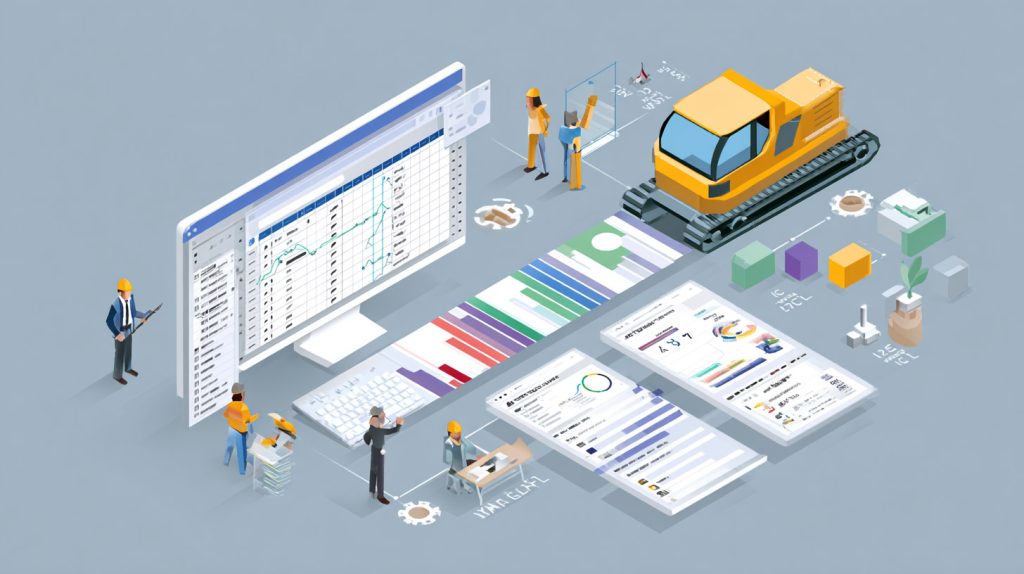
The modern construction site moves fast — and superintendents are expected to keep up. Between shifting crews, late deliveries, changing conditions, and non-stop reporting demands, even the best-run projects can lose time without the right tools in place. That’s why construction teams are embracing AI and automation within site operation management software to streamline scheduling and simplify reporting.
AI doesn’t replace the superintendent — it enhances them. Smart construction platforms analyze daily progress, resource availability, and workflow patterns to detect risks early and recommend adjustments automatically. Meanwhile, automation eliminates repetitive administrative tasks like updating schedules, compiling daily reports, and tracking sign-offs. Together, these technologies help superintendents focus on managing people and productivity, not paperwork.
In this article, we’ll explore how AI and automation inside operation management software are transforming field scheduling and reporting. You’ll learn how predictive algorithms, real-time updates, and automated documentation make projects run smoother — saving hours every week while keeping teams aligned and owners informed.
How AI Improves Scheduling Accuracy and Predicts Delays
Traditional scheduling relies on manual input — which means it’s only as accurate as yesterday’s information. AI changes that by processing live jobsite data to keep schedules constantly updated and predictive. When a delivery runs late, a crew finishes early, or an inspection takes longer than planned, the AI analyzes these variables and adjusts timelines automatically.
Instead of reacting to problems after they occur, superintendents gain foresight into what’s coming next. For example, AI may identify that consecutive weather delays or resource shortages will push back critical-path activities. The system can then recommend resequencing tasks or reallocating crews to maintain momentum. This level of intelligence transforms scheduling from a static plan into a dynamic, self-correcting workflow.
Top Benefits
- Detects potential schedule delays before they occur
- Updates task dependencies automatically based on live field data
- Helps superintendents reassign resources quickly to stay on track
Best Practices
- Review AI-generated forecasts during weekly scheduling meetings
- Integrate scheduling tools with daily reports and delivery logs for context
- Compare predicted versus actual timelines to fine-tune system accuracy
Q&A Mini Section
Q: How does AI learn to predict schedule risks?
A: It analyzes patterns from previous projects, delivery data, and on-site performance metrics.
Q: Can AI replace project scheduling tools like Primavera or MS Project?
A: No — it complements them, adding predictive intelligence on top of existing workflows.
Q: How much data is needed for AI to be effective?
A: The more historical and live data available, the smarter and more accurate it becomes.
By using AI to anticipate issues before they happen, superintendents gain time, confidence, and the ability to make informed adjustments that keep projects moving smoothly.
Automating Daily Reports to Save Time and Improve Accuracy
Reporting is a critical but often tedious part of construction management. Superintendents spend hours every week compiling data on progress, weather, deliveries, and safety. Automation built into operation management software removes that burden by collecting and organizing this information automatically.
Instead of manually typing notes or attaching photos, the software syncs data directly from mobile devices and field sensors. It then generates standardized daily reports that are ready to review, approve, and send — all within minutes. This ensures that documentation remains accurate and consistent across every project. Plus, automation timestamps every entry, creating a transparent record that satisfies both owners and auditors.
Top Benefits
- Reduces manual reporting time for superintendents and foremen
- Ensures consistent, error-free data collection from the field
- Provides timestamped, audit-ready documentation for compliance
Best Practices
- Use mobile checklists to feed data automatically into daily reports
- Schedule automated report submissions at the same time each day
- Encourage crews to review summaries for accuracy before final approval
Q&A Mini Section
Q: How much time can automation save on reporting?
A: Many superintendents report saving 3–5 hours per week per project.
Q: Does automation replace human review?
A: No — it compiles the data so managers can review and approve faster.
Q: How does it improve report quality?
A: By standardizing formats and eliminating transcription errors from manual entry.
Automated reporting gives superintendents their time back — ensuring reports are accurate, consistent, and ready before anyone has to ask for them.
Connecting AI Scheduling and Reporting for Real-Time Insights
The most powerful construction management systems connect AI scheduling with automated reporting in one ecosystem. Every update logged in the field instantly impacts the schedule, while every schedule change is automatically reflected in the reports. This continuous feedback loop keeps everyone — from field crews to executives — working with the same live information.
For example, when a foreman completes a task, that progress updates the schedule automatically. The software then adds that completion to the day’s report without extra input. AI analyzes these updates to detect trends, identify productivity gaps, and forecast whether the project is ahead or behind plan. The result is complete visibility without duplication or delay — a major step toward true real-time project control.
Top Benefits
- Synchronizes schedules and reports automatically for instant accuracy
- Eliminates redundant data entry and manual reconciliation
- Improves visibility across all stakeholders in real time
Best Practices
- Use one integrated platform to connect scheduling, reporting, and safety documentation
- Automate progress tracking through field apps to feed AI analytics
- Review combined data dashboards weekly for performance trends
Q&A Mini Section
Q: Why integrate scheduling and reporting in one system?
A: It ensures data accuracy and reduces the time spent reconciling updates manually.
Q: Can AI detect performance trends automatically?
A: Yes — it flags recurring issues or inefficiencies based on report and schedule data.
Q: How does integration help owners?
A: They can see verified progress without waiting for weekly summaries.
When AI and automation connect scheduling and reporting, projects run more predictably — with fewer surprises and more confidence at every level of management.
Turning Jobsite Data Into Actionable Analytics
AI and automation don’t just speed up workflows — they create data-driven visibility that helps superintendents make smarter scheduling and reporting decisions. Every time a task is updated, a delivery logged, or a crew signs off on a checklist, that data becomes part of a larger performance picture. Over time, AI systems identify trends: which trades finish ahead of schedule, where delays most often occur, and which conditions correlate with productivity dips.
This information allows contractors to take a proactive, analytical approach to scheduling. Instead of relying on intuition or incomplete data, superintendents can use dashboards to visualize project health in real time. These analytics also reveal where teams can improve — whether that means adjusting sequencing, ordering materials earlier, or increasing manpower in specific phases. The result is not just faster reporting, but continuous improvement across every project.
Top Benefits
- Converts daily field data into measurable performance insights
- Identifies recurring issues to improve schedule reliability
- Supports strategic planning through data visualization and trend analysis
Best Practices
- Review analytics dashboards weekly to identify performance bottlenecks
- Track completion rates by trade to highlight efficiency gains
- Use insights to refine scheduling and reporting templates for future projects
Q&A Mini Section
Q: How do analytics improve project outcomes?
A: They reveal underlying trends and help superintendents make more informed scheduling decisions.
Q: Can data analytics reduce future project delays?
A: Yes — by analyzing past performance to anticipate risks earlier.
Q: What’s the main benefit for superintendents?
A: Clear visibility into progress, productivity, and compliance in one place.
Analytics turn site data into actionable intelligence — empowering superintendents to fine-tune every part of scheduling and reporting with precision.

StruxHub
Experience the power of StruxHub today and witness firsthand how it can revolutionize your construction operations.
Predictive Forecasting That Keeps Schedules Ahead of Risks
AI forecasting isn’t just about spotting problems — it’s about preventing them. Using machine learning models trained on thousands of project variables, predictive algorithms can forecast potential schedule delays long before they happen. These insights are drawn from real-time jobsite data: crew performance, delivery patterns, equipment use, and even external factors like weather.
When a forecast detects risk — for example, a slowdown in framing progress or a supplier with recurring delivery issues — it alerts the superintendent instantly. The system can also suggest recovery strategies, such as resequencing work or reallocating resources. This foresight allows construction teams to act decisively and prevent days or weeks of lost productivity.
Top Benefits
- Identifies schedule risks using predictive analytics
- Suggests corrective actions to recover or prevent delays
- Increases planning accuracy across multi-phase projects
Best Practices
- Enable predictive alerts for high-impact milestones and tasks
- Compare forecast data to real outcomes for continuous improvement
- Combine forecasting with manual expertise for more balanced decisions
Q&A Mini Section
Q: How does predictive forecasting differ from regular scheduling?
A: Traditional scheduling reacts to updates, while predictive forecasting anticipates them.
Q: Can forecasts adapt to new data automatically?
A: Yes — AI recalculates predictions in real time as field conditions evolve.
Q: Do predictive systems work for small and medium projects too?
A: Absolutely — any project benefits from early warnings and better visibility.
Predictive forecasting gives superintendents time to respond, ensuring that minor setbacks never grow into major delays.
Enhancing Communication Between Field and Office
Even with the best technology, communication is the glue that holds scheduling and reporting together. Operation management software with AI and automation strengthens that connection by creating a unified communication hub for every stakeholder — from field crews to project executives.
Instead of relying on emails or phone calls, updates flow through in-app messages, notifications, and progress logs tied directly to specific tasks. When schedules change or reports are updated, everyone receives the same information simultaneously. This transparency prevents confusion, eliminates duplicate updates, and improves trust between teams. For owners, the ability to view live project data builds confidence that deadlines are being met and documentation is always accurate.
Top Benefits
- Connects all project stakeholders through real-time communication
- Reduces errors caused by delayed or incomplete updates
- Improves transparency and accountability with centralized messaging
Best Practices
- Encourage field crews to log progress notes directly in the platform
- Use tagging to notify only the relevant teams or trades
- Review communication logs weekly to track response times and accuracy
Q&A Mini Section
Q: How does automation improve team communication?
A: It ensures updates are distributed instantly and accurately without manual coordination.
Q: Can owners and clients access project updates?
A: Yes — most systems allow secure, read-only access for visibility.
Q: What happens if a communication thread is missed?
A: All messages are archived and searchable, ensuring nothing is lost.
By streamlining how information flows between field and office, AI-driven platforms keep projects aligned — and prevent costly misunderstandings that slow down schedules.

StruxHub: Revolutionizing Project Management in Large Commercial Construction
How StruxHub Uses AI and Automation to Improve Scheduling and Reporting
StruxHub brings the power of AI and automation directly into the superintendent’s workflow. Its operation management platform connects scheduling, reporting, and field coordination in one easy-to-use system. The AI engine analyzes live progress data to predict potential delays, while automation takes care of repetitive tasks — generating daily reports, assigning follow-ups, and updating dependencies in real time.
Superintendents can view live dashboards to track progress, verify crew performance, and generate audit-ready documentation instantly. StruxHub integrates seamlessly with other tools like scheduling software, delivery tracking, and safety systems, ensuring every workflow stays synchronized. With less time spent on manual tasks and more time focused on managing the field, superintendents can lead more efficiently — and deliver projects that finish on time, every time.
Top Benefits
- Predictive scheduling powered by live field analytics
- Automated daily reports and audit-ready documentation
- Seamless integration across safety, delivery, and scheduling workflows
Best Practices
- Use StruxHub’s predictive dashboards for weekly progress forecasting
- Automate daily reporting to reduce administrative work
- Review analytics monthly to track performance and identify recurring risks
Q&A Mini Section
Q: Does StruxHub’s AI learn from each project?
A: Yes — it continually refines its recommendations using past and current performance data.
Q: Can StruxHub connect to existing project scheduling tools?
A: Absolutely — it integrates with industry-standard software for unified visibility.
Q: How does automation benefit superintendents day-to-day?
A: It saves hours of manual reporting and keeps schedules continuously updated.
With StruxHub, AI and automation become practical tools that make scheduling and reporting faster, smarter, and easier to manage across every phase of construction.
FAQ: Why Superintendents Are Replacing Spreadsheets With All-in-One Construction Site Operation Management Platforms
1. Why are spreadsheets no longer effective for managing modern construction projects?
Spreadsheets were never designed to handle the complexity and pace of today’s construction environment. They rely on manual updates, making it easy for data to become outdated within hours. Version confusion, broken formulas, and limited collaboration capabilities lead to miscommunication and missed deadlines. Construction projects involve multiple trades, dynamic scheduling, and constant change — conditions that require live updates and automation. All-in-one operation management platforms eliminate those inefficiencies by syncing data across all users in real time. Superintendents can monitor progress, communicate instantly, and generate accurate reports without juggling dozens of spreadsheets. Simply put, digital platforms move at the same speed as the jobsite, while spreadsheets lag behind.
2. How do all-in-one platforms improve scheduling and resource coordination?
Scheduling in construction depends on accurate, up-to-the-minute data — something spreadsheets can’t deliver. In an all-in-one system, every update from the field automatically syncs to the master schedule. If one trade finishes early or a delivery is delayed, the system adjusts dependencies immediately and alerts the affected teams. This live coordination allows superintendents to reassign crews, shift priorities, and keep projects moving efficiently. Automated reminders and dashboards also ensure that upcoming milestones and inspections never fall through the cracks. With centralized scheduling, resource allocation becomes a data-driven process, minimizing downtime and optimizing productivity across the site.
StruxHub
Discover how StruxHub can revolutionize your construction management. Contact us today!
3. What specific reporting advantages do these platforms provide?
Reporting is one of the areas where all-in-one platforms truly outperform spreadsheets. Automation compiles field updates, photos, weather data, and crew notes into standardized daily or weekly reports. Superintendents no longer need to spend hours formatting spreadsheets or chasing information from multiple sources. Each report is timestamped, consistent, and ready to share instantly with owners or auditors. Additionally, AI-driven analytics can highlight performance trends or recurring issues directly within the report, providing insights that manual tracking can’t deliver. The result is more accurate documentation, stronger accountability, and significant time savings on administrative tasks.
4. How do these digital systems improve collaboration between field and office teams?
All-in-one construction management platforms centralize every aspect of communication — from RFIs and task updates to inspection approvals. Instead of sending email attachments or updated spreadsheets, teams share data through a unified dashboard that everyone can access. Field crews can upload progress notes or photos directly from mobile devices, while office teams view updates instantly. Notifications alert users to changes, approvals, or pending actions. This transparency keeps everyone aligned and eliminates the miscommunication that often causes rework or delays. It also creates an audit trail of every interaction, improving accountability and ensuring no detail gets lost in translation.
5. How does StruxHub help superintendents transition away from spreadsheets?
StruxHub was designed specifically to replace spreadsheets with automation, collaboration, and analytics built for the jobsite. Its intuitive interface allows superintendents to manage schedules, reports, deliveries, and communication all in one system. The platform updates data automatically as crews report progress, eliminating manual entry and version confusion. Daily reports generate themselves, complete with timestamps and attachments. StruxHub’s dashboards visualize performance metrics in real time, giving users a clear view of progress, productivity, and potential risks. With seamless integration into scheduling and safety workflows, StruxHub makes the transition from spreadsheets effortless — providing superintendents with the digital foundation to manage projects more efficiently and confidently.